Seed Programming

Programming With C++

Fee: 12,000 /- PKR per month

Registration Fee: 1,000 /- PKR
(non-refundable)

In Collaboration with Information Technology University (ITU)

Who can join this course?

If you're at the beginning of a BS degree in Computer Science, Software Engineering, Data Science, Machine Learning, or Artificial Intelligence at any university or affiliated college in Lahore or its vicinity, this is an excellent opportunity to build a strong foundation for your journey in this field.

About Course

Dive into the world of computational problem-solving with this hands-on programming course for C++ and Python users, built on the philosophy of learning by doing. Master control structures, functions, structured data, arrays/lists, references & pointers (or object references), and static vs dynamic memory models while exploring stack and heap through visual memory diagrams.
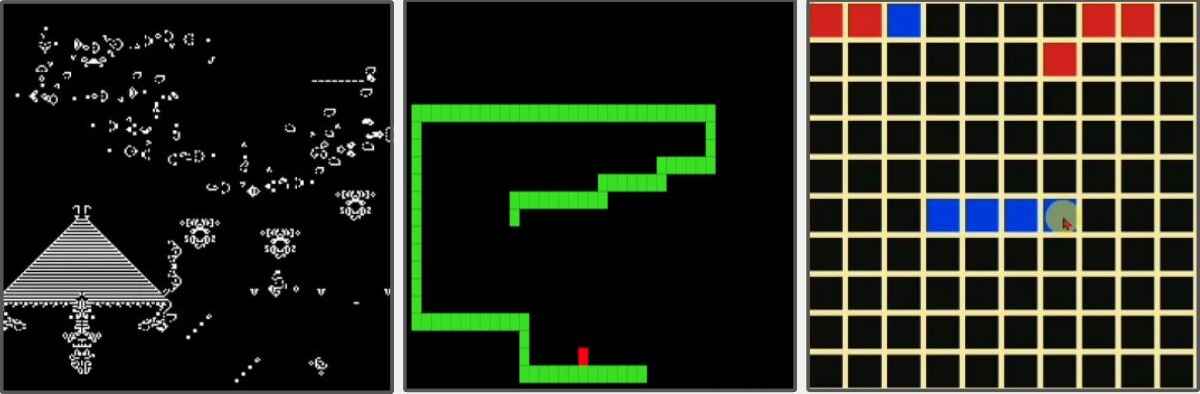
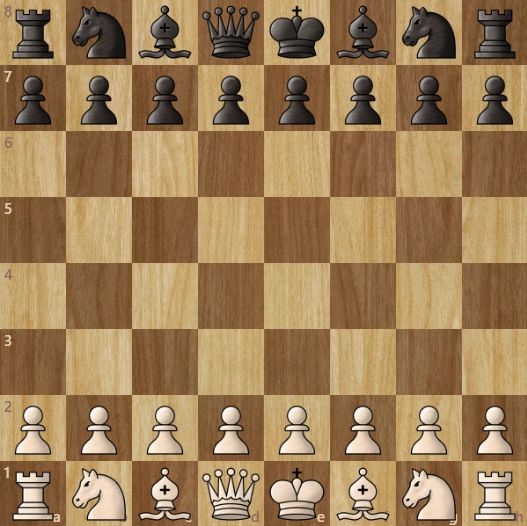
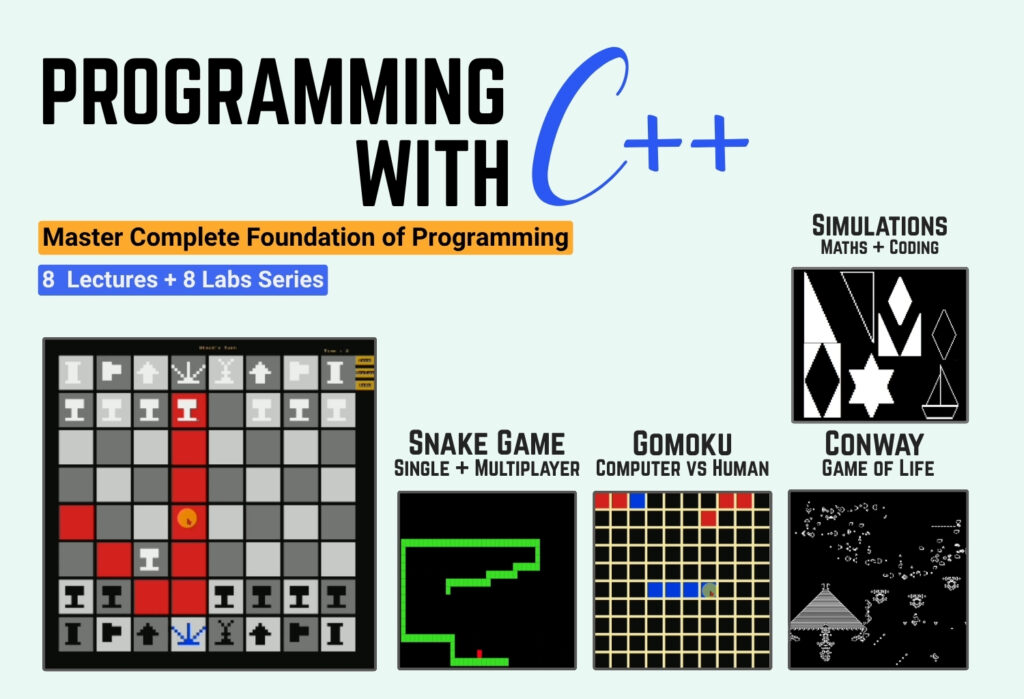
Engage in extensive problem-solving practices and analytical exercises that strengthen logical thinking, algorithmic design, and code reusability. Experience the excitement of building many real-world projects from Conway’s Game of Life to GOMOKU, and the final masterpiece, The Game of Chess. A journey designed to turn programming principles into precision, creativity, and mastery, regardless of whether you code in C++ or Python.

Course Outline

Lecture 1: C++ Programming Foundations & While Loops

Students learn the fundamentals of C++ programming, including variables, expressions, output statements, and while loops. They practise using loops with multiple variables, performing repeated calculations, and solving practical programming problem


  • Introduction to C++ and cout statements
  • Variables, data types and expressions
  • While loops and loop counters
  • Updating multiple variables within loops
  • Generating tables using while loops
  • Practical Programming Problems:
    • Bill Generation
    • Repeated Calculations and Number Patterns

Lecture 2: Control Structures, Functions & Program Design

Students learn how to control program flow using conditions, operators and switch statements. The session introduces functions as reusable building blocks and applies them to practical decision-making and menu-driven programs.


  • Integer data types, arithmetic operators, modulus and divisibility
  • if, if-else, if-else-if and compound conditions
  • Characters, ASCII and character classification
  • Functions, parameters, return values and reusable utilities
  • Switch statements, menu-driven applications and calculators
Lecture 3: Loops, Nested Loops & Problem-Solving Patterns

Students develop stronger problem-solving skills by combining loops, nested loops and reusable functions. They solve numerical problems, analyze input streams, generate patterns and implement classic algorithms.


  • for vs while loops, series and sequence generation
  • Nested loops, prime numbers, composite numbers and triangle numbers
  • Fibonacci, sentinel-controlled input and stream statistics
  • Reverse numbers, palindrome checking and perfect squares
  • Pythagorean triples and pattern/shape generation
Lecture 4: References, Pointers & Static Arrays

Students explore how C++ works with memory through references, pointers and arrays. They learn practical array-processing techniques including searching, frequency analysis, sorting and merging.


  • Memory concepts, references and reference parameters
  • Pointers, addresses, dereferencing and pointer-based parameter passing
  • Static arrays, memory layout, capacity and size
  • Searching, frequency tables, distinct/unique elements and mode
  • Bubble sort, selection sort, merging and array segregation
Lecture 5: 2D Arrays, Structs & Console Animation

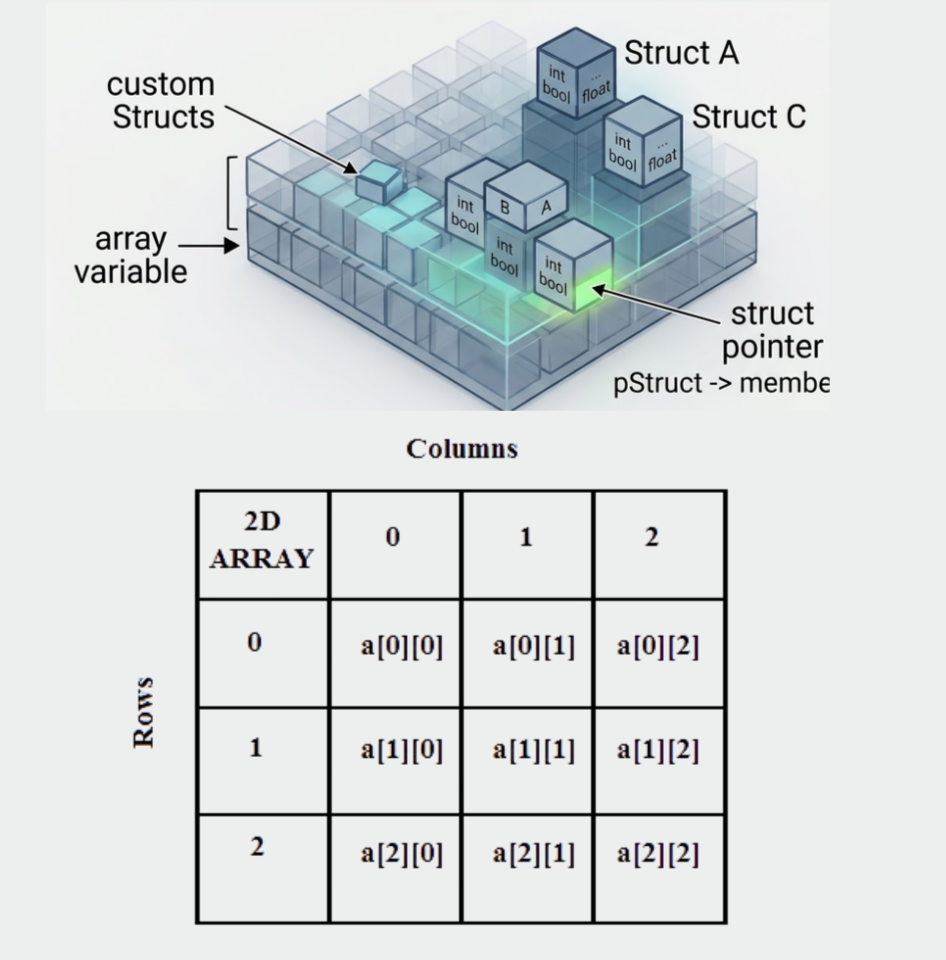
Students move from one-dimensional data structures to two-dimensional arrays and structured data. They work with matrices, create custom structures and build interactive console-based visual programs and animations.


  • Two-dimensional arrays, memory mapping and matrix operations
  • Matrix addition, subtraction, multiplication and transpose
  • Structs, Position and Matrix structures, and arrays of structures
  • Console dimensions, positioning, screen clearing and timing
  • Fan animation, circle drawing and multiple moving objects
Lecture 6: Dynamic Memory & Dynamic Data Structures

Students understand why static arrays can be limiting and learn how dynamic memory allows programs to work with data whose size is determined at runtime. The session introduces heap and stack concepts, dynamic arrays, sets and dynamically allocated matrices.


  • Static vs dynamic memory, code/global, stack and heap segments
  • Dynamic memory allocation and runtime arrays
  • Growable arrays, InsertAtEnd, dynamic searching and sorting
  • SET structure, set union and file-based data loading
  • Dynamic 2D arrays and dynamically allocated matrices
Lecture 7: Game Architecture & Interactive Programming

Students apply their programming knowledge to interactive programs and games. They learn how to manage program state, process input, update game logic and display results through projects such as Game of Life, Gomoku and Snake.


  • State-based programs and the Input → Update → Display flow
  • Conway's Game of Life, world initialization and repopulation
  • Gomoku: board design, turns, valid moves, wins and draws
  • Interactive keyboard input using _getch and _kbhit
  • Snake representation, movement, collision and game-state updates
Lecture 8: Large-Scale Program Design — Chess

The final session brings together the major concepts from the course through a large-scale Chess project. Students work with board representation, movement rules, state management and advanced game logic while developing a complete interactive application.


Chess
  • Program requirements, state representation and main-flow design
  • 8×8 board, pieces, coordinates and movement abstraction
  • Rook, Bishop, Queen, King, Knight and Pawn movement rules
  • Path checking, legal moves, turns, captures and promotion
  • Check, checkmate, stalemate, castling and illegal moves
  • Save, undo, replay and restart functionality

Recorded Lectures

With lifetime access to our lecture content,
you can revisit and refresh your concepts at your convenience.

Lecture 01: Introduction to C++ InputOutput, Intro to Loop and Variable
  • Introduction to cin and cout
  • Using endl and \n for line breaks
  • Declaring and initializing variables
  • Working with multiple variables
  • Printing tables using C++
  • Formatting tabular output
  • Foreign Currency Conversion (Currency Exchange Program)

Lab 01: C++ Programming Fundamentals & Problem Solving
    1. Introduction to C++ development tools (OnlineGDB, VS Code, Dev-C++).

    2. Practiced basic input/output, variables, and data types.

    3. Built a Celsius to Fahrenheit converter and variable-swapping program.

    4. Applied for and while loops for repetitive tasks.

    5. Practiced arithmetic operations, percentages, and Boolean logic.

    6. Developed a budget planner and risk calculator.

    7. Explored digit counting, speech analysis, and fitness tracking.

    8. Identified arithmetic and geometric sequences.

Lecture 2: C++ Control Structures, Functions & Practical Programming
  • Introduction to if, else if, and else statements.
  • Practiced logical operators and conditional expressions.
  • Implemented input validation using while loops.
  • Explored switch-case, break, and default.
  • Learned ASCII values and character conversion.
  • Introduction to functions and modular programming.
  • Built a Grade Calculator, Interactive Calculator, and Rock Paper Scissors game.
  • Developed a menu-driven program and digital stopwatch using loops and functions.

Lab 02: Assignment 2 - Functions and Geometry Solutions
  • Validating six-digit integers and calculating the sum of their digits.

  • Counting digits using while loops and converting digits into words using switch.

  • Classifying uppercase, lowercase, and non-alphabetic characters using functions.

  • Calculating squared distances between four coordinate points.

  • Classifying quadrilaterals: squares, rhombuses, rectangles, and parallelograms.

  • Calculating squared side lengths and applying the Pythagorean theorem.

  • Classifying triangles as equilateral, isosceles, scalene, or right-angled.

Lecture 3: Problem Solving with For Loops + Nested Loops Deeper Understanding, Shapes Printing
    • Understanding for loop structure, execution, and variable scope.

    • Processing input streams using sentinel-controlled while loops.

    • Classifying characters, digits, vowels, and special symbols.

    • Tracking minimum, maximum, and second maximum values in streams.

    • Implementing prime/composite checks and prime factorization.

    • Calculating GCD and generating Fibonacci sequences.

    • Printing geometric patterns using nested loops and mathematical formulas.

    • Building complex shapes using loop-based space and symbol tracking.