- Introduction to mathematical patterns
- Number sequences and visual patterns
- Natural, odd and even numbers
- Square numbers and triangular numbers
- Fibonacci sequence
- Representing sequences using geometric shapes
- Visualizing how patterns grow
- Using sliders to generate patterns
- Predicting the next element in a pattern
- Creating interactive pattern visualizations in GeoGebra
About Program
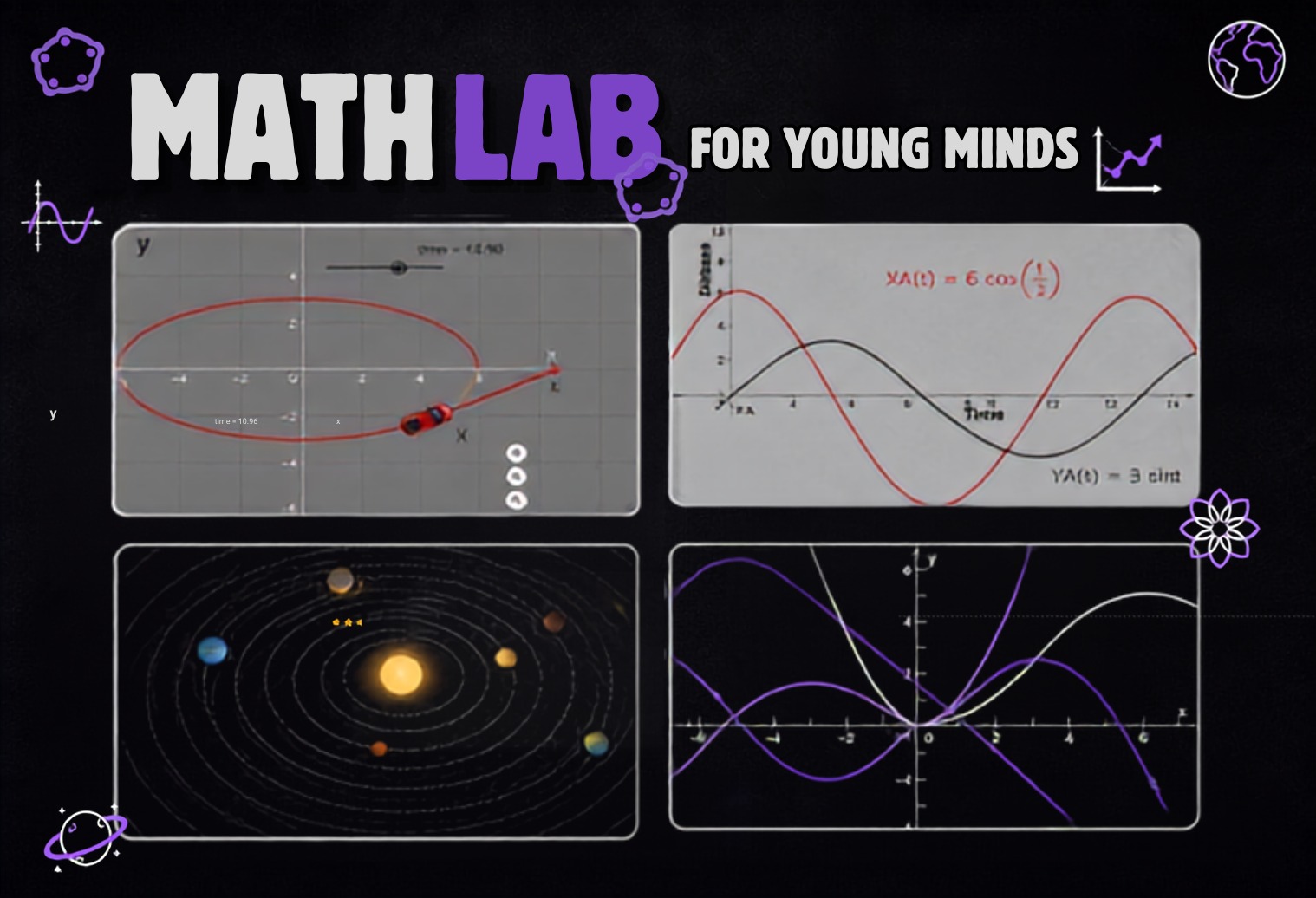
MathLab is a hands-on mathematics course designed to help students see mathematics beyond formulas and textbooks. Through interactive visualizations, simulations, and creative projects, students explore how mathematical concepts work and connect to the real world.
What Students Will Explore
🔢
Mathematical patterns and sequences
📐
Geometry, transformations, and symmetry
📊
Functions, equations, and graphs
🚗
Motion, vectors, and projectile simulations
🌍
Circular motion and planetary orbits
🌊
Trigonometry, waves, and periodic functions
🚀
Gravity, satellites, and space systems
💻
Interactive mathematical simulations using GeoGebra
Course Outline
Month 1: Seeing Mathematics
Lectures 01–04 • Patterns, Geometry, Functions & Motion
Lecture 01: Mathematics is a Pattern
Lecture 02: Geometry Comes Alive
- Introduction to GeoGebra geometry tools
- Points and coordinate systems
- Lines and line segments
- Parallel and perpendicular lines
- Angles and angle measurement
- Triangles and quadrilaterals
- Regular polygons
- Perimeter and area visualization
- Constructing shapes using geometric relationships
- Moving points and observing how constructions change
- Introduction to geometric loci
Lecture 03: From Equations to Pictures
- Cartesian coordinate system
- Plotting points
- Introduction to functions
- Input and output
- Linear equations and graphs
- Slope and y-intercept
- Quadratic equations and parabolas
- Plotting equations in GeoGebra
- Finding intersections between graphs
- Using sliders to change coefficients
- Observing how equations control the shape and position of graphs
Lecture 04: Mathematics in Motion
- Introduction to mathematical motion
- Position and coordinates
- Representing time using a parameter
- Moving points along straight paths
- Constant-speed motion
- Changing speed
- Using sliders to control motion
- Position-time graphs
- Connecting functions with motion
- Creating a moving car/object simulation
- Exploring how changing the function changes the motion
Month 2: Shapes, Functions & Transformations
Lectures 05–08 • Transformations, Curves & Mathematical Art
Lecture 05: Transform the World
- Introduction to transformations
- Translation
- Reflection
- Rotation
- Rotation around a fixed point
- Understanding angles of rotation
- Symmetry and transformations
- Combining multiple transformations
- Using sliders to control transformations
- Creating animated geometric transformations
Lecture 06: Stretch, Shrink & Zoom
- Transformations of functions
- Horizontal and vertical translations
- Vertical stretching and compression
- Horizontal stretching and compression
- Understanding y = f(x-h)
- Understanding y = f(x)+k
- Understanding the effect of coefficients
- Using sliders to manipulate graphs
- Comparing multiple transformed functions
- Exploring how equations control visual shape
Lecture 07: The Secret Life of Curves
- Introduction to different families of functions
- Linear functions
- Quadratic functions
- Cubic functions
- Exponential functions
- Comparing growth rates
- Intersections of curves
- Changing parameters using sliders
- Finding maximum/minimum points visually
- Exploring how small changes in equations affect curves
- Connecting mathematical equations to real-world growth and change
Lecture 08: Drawing with Mathematics
- Introduction to mathematical art
- Creating geometric patterns using functions
- Combining multiple equations
- Symmetry in mathematical designs
- Creating circles and curves using equations
- Using transformations to duplicate shapes
- Creating spirals and repeating patterns
- Exploring parametric-style constructions visually
- Using sliders to make mathematical artwork interactive
- Creating examples such as flowers, butterflies and geometric designs
Month 3: Mathematics in Motion
Lectures 09–12 • Vectors, Projectile Motion & Orbits
Lecture 09: How Things Move
- Introduction to vectors
- Magnitude and direction
- Position and displacement
- Representing movement using vectors
- Addition of vectors
- Velocity vectors
- Introduction to acceleration
- Visualizing velocity and acceleration
- Changing velocity and observing motion
- Combining multiple vectors
- Creating an interactive motion simulation
Lecture 10: Throw a Ball!
- Introduction to projectile motion
- Horizontal and vertical components
- Initial velocity
- Launch angle
- Gravity
- Projectile trajectory
- Building a projectile simulation in GeoGebra
- Changing launch angle and observing the trajectory
- Changing initial velocity
- Maximum height
- Horizontal range
- Comparing multiple projectiles
- Exploring real-world examples of projectile motion
Lecture 11: Why Do Planets Orbit?
- Introduction to circular motion
- Radius and angular position
- Movement around a circle
- Angular velocity
- Tangential velocity
- Centripetal acceleration
- Direction of velocity and acceleration
- Visualizing vectors during circular motion
- Relationship between speed, radius and acceleration
- Creating an interactive circular-motion simulation
- Connecting circular motion to planetary motion
Lecture 12: Build a Satellite
- Introduction to satellites and orbital motion
- Revision of projectile and circular motion
- Newton's cannonball thought experiment
- Gravity and falling objects
- How velocity changes an object's trajectory
- From projectile motion to orbital motion
- Visualizing different satellite trajectories
- Changing launch velocity
- Changing satellite height
- Creating a simplified satellite-orbit simulation
- Understanding why satellites remain in orbit
- Real-world applications of satellite systems
Month 4: Mathematics of Our World
Lectures 13–16 • Trigonometry, Waves, Gravity & Final Simulation
Lecture 13: From Circles to Waves
- Revision of circular motion
- Introduction to angles and radians
- Unit circle
- Coordinates of a point on a circle
- Discovering sine through circular motion
- Discovering cosine through circular motion
- Plotting sine and cosine waves
- Connecting circular motion with periodic motion
- Amplitude and period
- Creating an animated sine/cosine visualization
Lecture 14: The Mathematics of Waves
- Introduction to periodic functions
- Sine and cosine waves
- Amplitude
- Period
- Frequency
- Phase shift
- Vertical and horizontal transformations
- Using sliders to change wave properties
- Comparing waves with different frequencies
- Combining multiple waves
- Visualizing interference
- Connecting mathematical waves to sound and other real-world phenomena
Lecture 15: The Mathematics of Space
- Introduction to gravity
- Gravitational attraction
- Distance and gravitational force
- Inverse-square relationship
- Visualizing how force changes with distance
- Gravitational fields
- Connection between gravity and orbital motion
- Escape velocity concept
- Exploring different launch velocities
- Simulating different trajectories
- Connecting gravity, velocity and satellite motion
- Applications in space exploration
Lecture 16: MathLab Final Simulation
- Review of the major concepts from the course
- Functions and graphs
- Geometry and transformations
- Vectors and motion
- Circular motion
- Trigonometry and waves
- Gravity and orbital motion
- Combining multiple mathematical concepts
- Instructor-led construction of a complete interactive simulation
- Exploring how changing parameters affects the simulation
- Connecting mathematical models to real-world systems
- Final demonstration and recap of the course
Recorded Lectures will be uploaded here.
Lecture 01: Mathematical Thinking Through GeoGebra and AI
Planetary Motion in GeoGebra
2D Car Motion Using Functions
Linear Equations and Functions
From Stories to Equations
Pattern Prediction and Equation Building
From Equations to Real-Life Stories
AI-Assisted Learning and Homework
- Tracking Student Learning with GeoGebra and AI
- Understanding the Coordinate System
- Exploring Variables and Relationships
- Visualizing Equations in GeoGebra
- AI-Powered Mathematical Problem Solving
Homework 1
Nourishing the Programmer in you!
schoolofseedprogramming@gmail.com
query@seedprogramming.org