Seed Programming

Online
7,500 /- PKR

About Program

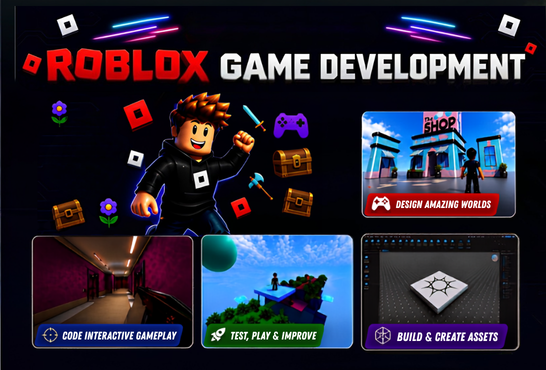
This 16-week Roblox Game Development Course takes students from beginner to confident game creator through hands-on building, scripting, and game design. Students learn to use Roblox Studio and Lua scripting while creating interactive games and game systems from scratch. Throughout the course, students progress from 3D world building and beginner scripting to game logic, interactive GUIs, multiplayer networking, player progression, and advanced game systems. Each stage includes practical activities and mini-projects such as obstacle courses, escape rooms, RPG interfaces, coin collectors, and multiplayer experiences.

Course Outline

Phase 1: The World & The Code

Weeks 1–4 • Roblox Studio & Beginner Scripting

Week 1: The Builder — Setup & Studio Basics
Focus: Roblox Studio & 3D Building
  • Roblox Studio setup and navigation
  • Camera controls
  • Moving, scaling and rotating Parts
  • Core Part properties
  • Anchoring and basic world building
In-Class Activity:

Build a physical obstacle course (Obby) using only Parts.

Project:

🏗️ The Ultimate Obby — Build a multi-stage obstacle course with different themed areas using scaling, rotation and anchoring.

Week 2: The Coder — Beginner Scripting 1
Focus: Introduction to Lua Scripting
  • Scripts and the Output window
  • Referencing Parts in the Workspace
  • Changing properties through code
  • Basic Lua syntax
In-Class Activity:

Script a Part to change color, become invisible and lose collisions.

Project:

👻 The Haunted Bridge — Create a bridge where selected planks disappear and lose collisions after the game starts.

Week 3: Time & Memory — Variables & Loops
Focus: Variables and Loops
  • Creating and using variables
  • Using wait()
  • while loops
  • for loops
  • Creating repeated actions
In-Class Activity:

Create a "Disco Block" that continuously changes colors.

Project:

🌈 The Rhythmic Trap Room — Build a room where floor panels flash and change colors in a repeating hazard pattern.

Week 4: Action & Reaction — Functions & Events
Focus: Functions and Events
  • Creating custom functions
  • Using the .Touched event
  • Player interaction
  • Working with Humanoid properties
In-Class Activity:

Create a Kill Brick and a Speed Boost Pad.

Project:

🌋 Lava Run — Upgrade the Obby with kill bricks, speed boosts and jump boosts using events and functions.

Phase 2: Logic & Interfaces

Weeks 5–9 • Game Logic & GUI Development

Week 5: Choices — If/Then Logic & Conditionals
Focus: Conditional Logic
  • if / then statements
  • Creating conditions
  • Comparing values
  • Checking player states
In-Class Activity:

Create a puzzle door that opens only when a specific condition is met.

Project:

🔐 The VIP Club — Build a restricted area where players must complete a condition before gaining access.

Week 6: State & Cooldowns — Debounces
Focus: Advanced Logic & Debouncing
  • Game states
  • Debounce variables
  • Preventing repeated events
  • Debugging .Touched events
In-Class Activity:

Fix a rapidly firing .Touched event using a debounce.

Project:

🚪 The Escape Room Challenge — Create a puzzle room with buttons, doors and timed interactions using debounce logic.

Week 7: The Screen — GUI Basics 1
Focus: User Interface Design
  • ScreenGui
  • Frames
  • TextLabels
  • TextButtons
  • UI layout and scaling
In-Class Activity:

Design a Main Menu and an RPG-style health bar.

Project:

🎮 The RPG HUD — Create a complete RPG interface with health/mana bars, minimap and skill buttons.

Week 8: Clicks & Menus — Interactive GUI
Focus: Interactive UI
  • LocalScripts
  • Button click events
  • Frame visibility
  • Interactive menus
  • Client-side UI
In-Class Activity:

Create Play and Inventory buttons that open and close menus.

Project:

🏚️ The Point-and-Click Adventure — Build a UI-based haunted house where players navigate rooms and discover hidden buttons.

Week 9: Smooth Moves — UI Design & Animation
Focus: UI Polish & Animation
  • UI Corner
  • UI Stroke
  • UI Gradients
  • Tweens
  • UI animations
In-Class Activity:

Animate a shop menu sliding smoothly onto the screen.

Project:

🛒 The Premium Shop Interface — Transform the previous UI with animations, gradients, rounded corners and polished menus.

Phase 3: Advanced Magic

Weeks 10–13 • Networking, Data & Game Systems

Week 10: Client vs. Server — Networking 1
Focus: Multiplayer Networking
  • Understanding Client vs. Server
  • LocalScripts
  • Server authority
  • Multiplayer security
In-Class Activity:

Demonstrate how client-side changes differ from server-side changes.

Project:

🌀 The Illusion Maze — Create a maze where different players can see different paths using client-side changes.

Week 11: The Bridge — RemoteEvents
Focus: Client-Server Communication
  • RemoteEvents
  • Client-to-server communication
  • Server-to-client communication
  • Secure player interactions
In-Class Activity:

Create a GUI button that spawns a block in the 3D world for everyone.

Project:

⚔️ The Summoner's Arena — Build an arena where players use GUI buttons to spawn enemies or items through RemoteEvents.

Week 12: The Game Loop — Leaderstats & Game Systems
Focus: Player Progression
  • Leaderstats
  • Coins and points
  • Collectibles
  • Player progression
  • Game loops
In-Class Activity:

Create a coin collection system that updates the player's leaderboard.

Project:

🪙 Arcade Coin Collector — Build a timed arena where players collect coins and spend them on power-ups.

Week 13: Project Prep — Planning & Prototyping
Focus: Game Planning & Debugging
  • Project organization
  • Folder structure
  • Debugging larger projects
  • Game design
  • Grey-box prototyping
In-Class Activity:

Play and debug each other's games collaboratively.

Project:

📝 Game Pitch & Prototype — Create a 1-page game design document and build a grey-box prototype for the final game.

Phase 4: Final Project

Weeks 14–16 • Build → Connect → Polish → Showcase

Week 14: Final Project — Core Mechanics & Map
Focus: World Building & Core Gameplay
  • Complete the game map
  • Add spawn points
  • Place physical assets
  • Build interactive objects
  • Implement core mechanics
  • Add foundational scripts
Project Phase:

🏗️ Build the complete game world and implement the core gameplay mechanics.

Week 15: Final Project — Economy, UI & Networking
Focus: Player Interaction & Progression
  • Implement Leaderstats
  • Add coins, points or kills
  • Build a functional Main Menu
  • Create a functional HUD
  • Add tweened UI
  • Connect UI with the server using RemoteEvents
  • Implement systems such as shops or rewards
Project Phase:

⚙️ Connect the game's UI, economy and multiplayer systems into a fully functional experience.

Week 16: Final Project — Polish & Showcase
Focus: Final Polish & Multiplayer Testing
  • Add audio and sound effects
  • Add particle effects
  • Polish the user interface
  • Add strokes, gradients and visual effects
  • Debug the complete game loop
  • Test multiplayer functionality
  • Prepare the game for publishing
Final Showcase:

🏆 Students publish their games and the class plays and reviews everyone's completed Roblox mini-games.

Recorded Lectures will be uploaded here.