- 6 weeks
- 15, June, 2026
About Program
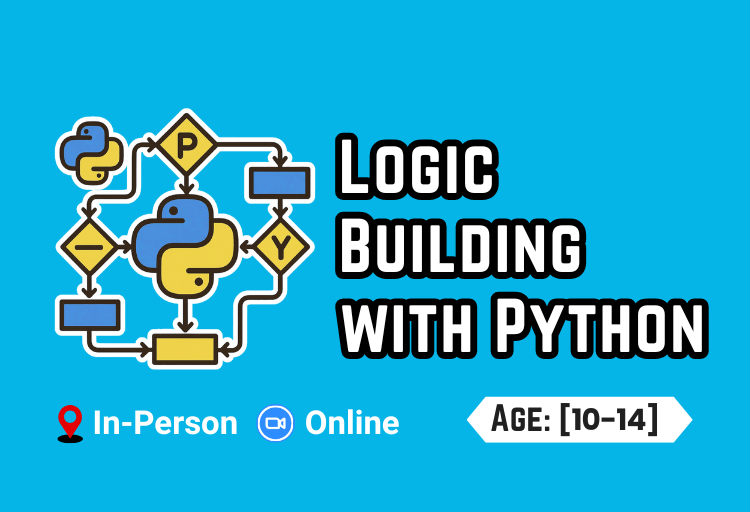
This course is designed to introduce students to the world of programming using Python. Students will learn fundamental concepts such as variables, loops, conditional statements, and modular programming, along with an introduction to the divide-and-conquer approach. By the end of the course, students will be able to build basic applications, solve programming problems, and develop a strong foundation for more advanced programming courses.
In Collaboration with Information Technology University (ITU)
Course Outline
Lecture 1: Introduction to Python & Basics
- Understanding Python and how programs work
- Using print statements for output
- Introduction to variables and basic data types
- Taking input from users
- Writing simple interactive programs
Lecture 2: Loops & Pattern Printing
- Introduction to while and for loops
- Understanding step-by-step execution
- Printing number sequences and tables
- Creating simple patterns using loops
- Debugging loop-based programs
Lecture 3: Conditional Statements
- Using if, else, and elif conditions
- Handling multiple conditions logically
- Building decision-based programs
- Combining conditions with operators
- Solving real-life logical problems
Lecture 4: Problem Solving with Loops
- Solving problems using loops and logic
- Introduction to nested loops
- Finding prime numbers and square roots
- Computing GCD and LCM
- Validating mathematical results using code
Lecture 5: Functions & Code Reusability
- Introduction to functions in Python
- Writing reusable and clean code
- Passing arguments and returning values
- Breaking problems into smaller parts
- Using divide and conquer approach
Lecture 6: Advanced Pattern & Shape Printing
- Creating complex patterns using loops
- Printing hollow shapes and designs
- Building diamond and star patterns
- Using nested loops creatively
- Improving logic through practice
Lecture 7: Introduction to Lists & Data Handling
- Understanding lists and data storage
- Finding max, min, and sorting values
- Removing duplicates from lists
- Searching and filtering data
- Basic list operations and methods
Lecture 8: Dictionaries Basics
- Introduction to dictionaries (key-value pairs)
- Accessing and modifying dictionary data
- Iterating using keys and values
- Comparing lists vs dictionaries
- Real-world data representation
Lecture 9: Advanced Dictionary Operations
- Inserting and deleting elements
- Merging and concatenating dictionaries
- Nested dictionaries (dictionary of dictionary)
- Working with structured data
- Practical problem solving
Lecture 10: Data Processing with Dictionaries
- Removing duplicates and finding uniques
- Counting frequency (words, values)
- Dictionary of lists
- Handling real datasets
- Optimizing data operations
Lecture 11: Mini Project – Record Management
- Building a simple record management system
- Storing and retrieving data
- Applying conditions and loops together
- Improving code structure
- Testing and debugging
Lecture 12: Final Project & Review
- Combining all Python concepts learned
- Building a complete mini project
- Code optimization and best practices Final Project:
- 🤖 Create your own AI assistant
- Understand how AI answers questions using knowledge
- Learn responsible and ethical use of AI
- Combine Python, visuals, and AI into one mini application
👩🎓
Certificates
★
Ammar Asad
›
★
Asim Khan
›
★
Ayan Akhtar
›
★
Eshal Ansari
›
★
Fatima Asif
›
★
Hamza Salman
›
★
Haniya Noor
›
★
Huda Kaleem
›
★
Imad Asad
›
★
Madahat Qayyum
›
★
Mohammad Usman
›
★
Moiz Mobeen
›
★
Muhammad Abdullah
›
★
Muhammad Affan Khokhar
›
★
Muhammad Ali Hassan
›
★
Muhammad Huzefah Sikandar
›
★
Muhammad Jahanzeb
›
★
Muhammad Mahad Khan
›
★
Muhammad Shehreyar Ahmar
›
★
Raaid Khan
›
★
Salma Alamgir
›
★
Yahya Usman Gorsi
›
Recorded Lectures Are Available Below
~ STEP BY STEP GUIDE TO INSTALL VISUAL STUDIO CODE
- Search for “Visual Studio Code” in Google Chrome and click the download option on the official website
- Choose the appropriate version for your computer, such as the Windows or MacBook option, to start the download
- Once the installer is open, select the “I accept the agreement” option and click next to proceed with the setup
- During setup, ensure you check the boxes for “Create a desktop icon” and, most importantly, “Add to path” before clicking install
- You can create a new Python script by adding a file with the .py extension, such as
myprogram.py - The environment also supports notebook files, which can be created by using the .ipynb extension
- Navigate to the Extensions view and search for and install the “Python Debugger” extension to enable full Python support and debugging capabilities
Lecture 01: Introducing Python with Print, Variables - While loop, conditionings, Debugging
- Introduction to programming and Python
- Using the print() function for output
- Printing text, numbers, and expressions
- Introduction to variables and storing values
- Using variables in calculations
- String operations using + and *
- Introduction to the while loop
- Generating number sequences with loops
- Printing patterns using loops
- Checking and understanding program output
Help Session 01: Assignment 01 Discussion and Problem Solving
- Revision of concepts covered in Assignment 01
- Discussed common mistakes made in Assignment 01
- Solved problems related to printing multiplication tables
- Learned how to print triangle patterns using loops.
- Explained the logic behind different pattern-printing questions
- Resolved common Visual Studio Code setup and execution issues
- Guided students on debugging and fixing basic Python errors
- Answered students’ questions and provided solutions to assignment-related problems
Lecture 02: Python Fundamentals: User Input, Variables, and Decision Making
- Taking input from the user using the input() function
- Converting string input into integers using the int() function
- Using variables to store and reuse user-provided data
- Understanding the powerful use of variables in calculations
- Creating dynamic output using formatted strings (f-strings)
- Combining user input and variables to build interactive programs
- Introduction to the if condition for decision making
- Using conditions to stop or terminate a program based on user input
Help Session 02: Assignment 02 Discussion and Problem Solving
- Revision of concepts covered in Assignment 02
- Discussed common mistakes made in Assignment 02
- Solved conversion problems (e.g., Celsius to Fahrenheit and other unit conversions)
- Explained taking user input and converting strings into integers using the int() function
- Demonstrated step-by-step debugging techniques to identify and fix program errors
- Solved multiplication table problems using loops
- Reviewed formatted strings and variable usage in assignment questions
- Answered students’ questions and provided solutions to assignment-related problems.
Lecture 03: Functions, Parameters, and Decision Making
- Introduction to functions and their importance in programming
- Creating user-defined functions using the def keyword
- Calling functions to execute specific tasks
- Understanding function parameters and passing values to functions
- Using functions to organize and reuse code effectively
- Creating a main() function to control program execution
- Using if-else statements to allow users to choose between different functions
Lecture 04: Loops, Patterns, and Time Control
- Understanding the main program loop
- Introduction to for loops and their applications
- Using the sleep() function to create time delays
- Printing rectangle patterns using loops
- Generating multiplication tables using for loops
- Creating number triangle patterns
- Printing inverted number triangle patterns
- Building a simple stopwatch using loops and the sleep() function
Help Session 03: Loops, Debugging, and Pattern Printing
- Revision of concepts covered in Assignment 04
- Explained how to convert while loops into for loops and vice versa
- Demonstrated step-by-step debugging of nested loops
- Traced program execution line by line to understand loop behavior
- Solved common issues in nested loop implementations
- Learned how to use nested loops to print different patterns
- Built a simple stopwatch using loops and the sleep() function
- Answered students’ questions and provided solutions to assignment-related problems
Lecture 05: Functions and Problem Solving
- Revision of concepts covered in Assignment 04
- Solving assignment-related programming problems
- Creating a function to check whether a number is composite
- Understanding the logic behind composite number detection
- Organizing programs using a
main()function - Integrating functions with conditional statements
- Testing functions with different input values and edge cases
- Improving code readability through proper function decomposition
- Debugging and tracing function execution to identify logical errors
Lecture 06: Functions, If-Elif, While Loops & Menu-Driven Programs
- Revision of functions, scope, and parameter passing
- Using
whileloops to solve iterative problems - Creating functions to calculate the summation and product of a range of numbers
- Finding the integer square root without using the math library
- Solving problems using
if-elif-elseconditional statements - Finding the maximum of five numbers using two different approaches
- Building a simple calculator using functions and conditional statements
- Developing a menu-driven program that combines multiple functions into a single application
Help Session 04: Assignment 05 Discussion and Problem Solving
- Revision of concepts covered in Assignment 05
- Discussed common mistakes made in Assignment 05
- Solved problems involving the sqrt() function
- Explained and solved maximum value (max) problems
- Created a function to check whether a number is composite or not
- Demonstrated how to organize programs using a main() function
- Reviewed function calls, parameters, and program structure
- Answered students’ questions and provided solutions to assignment-related problems.
Lecture 07: Input Validation and Age Calculator
- Building an age calculator using user input
- Creating validation functions to verify user input
- Validating dates and numeric values before processing
- Using while loops to repeatedly prompt the user until valid input is entered
- Organizing validation logic using functions
- Combining functions, loops, and conditional statements
- Improving program reliability through input validation
Lecture 08: Introduction to Lists
- Introduction to lists and creating lists in Python
- Printing list elements using the print() function
- Traversing lists using for loops
- Accessing elements using positive and negative indexing
- Using list slicing with positive and negative ranges
- Working with lists containing mixed data types
- Modifying lists using indexing, append(), and remove()
- Practice activity: Creating, updating, and manipulating lists
Help Session 05: Problem Solving and Student Evaluation
- Discussed and solved the Day Finder program
- Introduced kbhit() and demonstrated its usage in Python
- Created a counter program and stopped its execution using kbhit()
- Explained the logic behind event-driven program control
- Solved students’ programming and debugging questions
- Reviewed common mistakes and provided individual guidance
- Conducted a short evaluation to assess students’ understanding
- Provided feedback and answered students’ queries regarding course concepts
Lecture 09: Advanced List Operations
- Introduction to common list functions and methods
- Adding and removing elements using append(), pop(), and remove()
- Reversing and sorting lists using reverse() and sort()
- Counting and searching elements using count() and index()
- Updating and modifying list elements using indexing
- Creating new lists using list comprehensions
- Iterating through lists using for loops and list comprehensions
- Practice activity: Solving problems using list methods and comprehensions
Lecture 10: Dictionaries and Introduction to NumPy
- Introduction to dictionaries and key-value pairs
- Creating, accessing, updating, and deleting dictionary elements
- Iterating through dictionaries using loops
- Understanding common dictionary methods
- Introduction to the NumPy library and its applications
- Creating and working with NumPy arrays
- Performing basic array operations using NumPy
- Practice activity: Solving problems using dictionaries and NumPy arrays
Help Session 06: Problem Solving and Student Evaluation
- Revised the concepts covered in dictionaries and NumPy.
- Explained the creation and manipulation of dictionaries.
- Solved problems involving dictionary operations and methods.
- Demonstrated how to iterate through dictionaries using loops.
- Introduced NumPy arrays and their basic operations.
- Solved practice problems using NumPy arrays.
- Addressed students’ programming and debugging questions.
- Evaluated students’ understanding and provided feedback.
Lecture 11: Image Processing with Numpy and Matplotlib
- Import the required libraries (NumPy, Matplotlib, PIL, and SciPy).
- Create and display a simple image using NumPy arrays.
- Load an image from Google Drive.
- Convert the image to grayscale.
- Create an inverted (negative) and black-and-white version of the image.
- Flip the image vertically and display the result.
- Apply a mean filter to smooth and blur the image.
- Detect edges using Sobel filters and generate a sketch/painting effect.